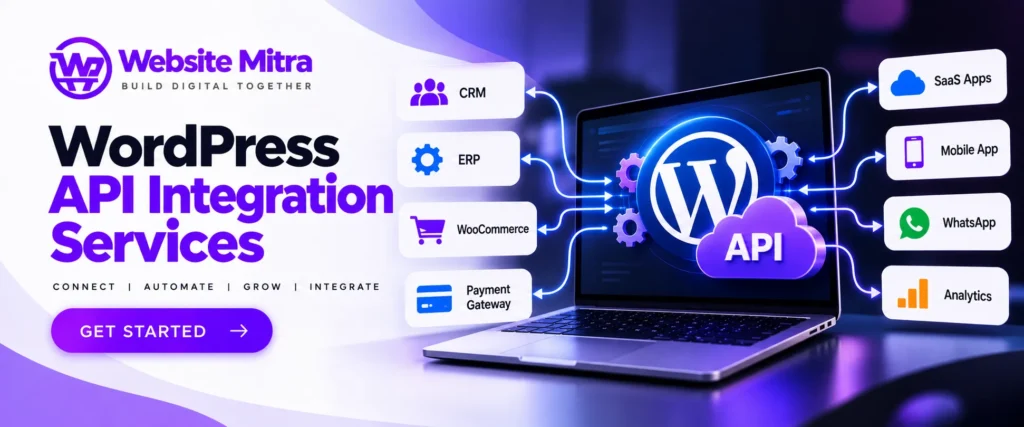
Summary
Modern businesses rarely operate with only one software platform.
A business may use WordPress for its website, WooCommerce for e-commerce, a CRM for leads, an ERP for operations, a payment gateway for transactions, a marketing platform for campaigns, an accounting system for finance and a mobile application for customers.
Without integration, employees may have to manually transfer information between these systems.
WordPress API integration services India help connect WordPress with external applications and services so that systems can exchange data automatically.
Using APIs, a WordPress website can communicate with:
- CRM systems
- ERP platforms
- Payment gateways
- Mobile applications
- SaaS platforms
- Shipping systems
- Accounting software
- Marketing platforms
- Booking systems
- Membership platforms
- AI services
- WhatsApp/business communication platforms
- Custom enterprise applications
WordPress provides a REST API that allows applications to exchange data using JSON and HTTP requests. The official WordPress documentation explains that its REST API can be used by JavaScript applications, mobile apps, desktop applications and other systems capable of making HTTP requests and processing JSON.
WebsiteMitra provides custom WordPress plugin development and lists REST API Integration, Payment Gateway Integration, CRM Integration, ERP Integration, AI/ML Plugin Development, WooCommerce and automation among its capabilities. Its published technology stack also includes PHP, WordPress, WooCommerce, JavaScript, React, MySQL, REST API, Git, Composer and WP-CLI.
This guide explains how WordPress API integration works, common API types, use cases, security, development process, costs, challenges and how businesses can choose a professional WordPress API integration company in India.
Introduction
A website should not always operate as an isolated system.
Consider a business that receives 100 enquiries through its WordPress website every day.
Without an integration, the workflow might look like this:
Website Form → Employee Reads Form → Copies Data → Opens CRM → Creates Lead → Sends Email → Updates Spreadsheet
This process consumes time and creates opportunities for human error.
With API integration, the workflow could become:
Website Form → API → CRM → Automated Lead Assignment → Notification
The same concept can be applied to e-commerce, payments, inventory, bookings, customer accounts, mobile applications and business automation.
This is why WordPress API integration services in India have become increasingly useful for businesses that need their website to communicate with other digital systems.
WordPress itself provides a REST API with resource-oriented routes and JSON responses. The official documentation describes the API as a way for applications to retrieve, create and modify WordPress content and other data through structured endpoints.
What Is WordPress API Integration?
An API, or Application Programming Interface, provides a structured way for different software systems to communicate.
In simple terms:
API integration allows one application to request or send information to another application.
For example:
WordPress → CRM
WordPress sends customer information to a CRM.
CRM → WordPress
WordPress retrieves customer information from the CRM.
WooCommerce → Shipping API
WooCommerce sends an order to a shipping platform.
Payment Gateway → WooCommerce
The payment service sends transaction status back to the website.
Mobile App → WordPress
A mobile application retrieves WordPress content through the REST API.
WordPress describes REST API endpoints as URLs representing resources such as posts, pages, taxonomies and other data types. Applications can send and receive JSON data through these endpoints.
Why Businesses Need WordPress API Integration Services
API integration becomes valuable when a business uses multiple digital systems.
Without integration, employees may need to:
- Copy customer data
- Update spreadsheets manually
- Enter orders multiple times
- Check payment status manually
- Synchronize inventory manually
- Transfer customer information between platforms
- Download and upload reports
- Maintain duplicate databases
API integration can automate many of these workflows.
Example
Suppose a company uses:
WordPress + CRM + ERP + Payment Gateway + WhatsApp
An integrated workflow could be:
Website Enquiry → CRM Lead → ERP Customer Record → Notification → Sales Follow-up
Instead of manually moving the information between platforms, APIs can allow the systems to communicate programmatically.
Types of WordPress API Integration
A professional WordPress API integration company India may work with several types of APIs.
1. REST API Integration
REST is one of the most common approaches for modern web applications.
WordPress has a built-in REST API.
Common WordPress REST API resources include:
- Posts
- Pages
- Categories
- Tags
- Media
- Users
- Comments
- Custom post types
- Taxonomies
- Search
- Plugins
- Settings
WordPress’s official API reference documents these routes and their supported operations.
REST integrations are useful for:
- Mobile applications
- React applications
- Headless WordPress
- CRM systems
- Custom dashboards
- SaaS platforms
- External websites
- Business automation
2. Custom REST API Development
Sometimes the standard WordPress endpoints aren’t enough.
For example, a company may need an endpoint such as:
/wp-json/company/v1/customer-ordersor:
/wp-json/company/v1/inventoryCustom endpoints can expose specific business data in a controlled format.
WordPress officially supports registering custom routes and endpoints through its REST API framework. Developers can define routes, HTTP methods, callbacks, arguments and permission callbacks.
This makes custom REST API development particularly useful for custom business systems.
3. SOAP API Integration
Some enterprise and legacy platforms still use SOAP APIs.
SOAP integrations may be required for:
- Enterprise applications
- Banking systems
- Insurance systems
- Government services
- Legacy ERP platforms
- Older enterprise software
Although REST is common in modern applications, businesses should use the API technology required by the system they need to connect with.
4. GraphQL Integration
GraphQL allows clients to request specific data rather than necessarily retrieving a fixed response structure.
GraphQL can be useful for:
- Headless WordPress
- React applications
- Next.js applications
- Mobile applications
- Complex data relationships
A WordPress API developer can implement or integrate GraphQL depending on the project’s architecture and requirements.
5. Third-Party API Integration
WordPress can connect with external APIs provided by third-party platforms.
Examples include:
- CRM APIs
- Payment APIs
- Shipping APIs
- AI APIs
- SMS APIs
- Email APIs
- Accounting APIs
- ERP APIs
- Social APIs
- Maps APIs
The exact implementation depends on the third-party provider’s documentation, authentication mechanism, rate limits and data model.
6. Webhook Integration
A webhook is another important integration mechanism.
Instead of WordPress repeatedly asking another platform whether something happened, the external platform can send a notification when an event occurs.
For example:
Payment Completed → Payment Provider Sends Webhook → WordPress Updates Order
Another example:
CRM Lead Created → CRM Webhook → WordPress Updates Customer Record
Webhooks are particularly useful for event-driven automation.
Popular WordPress API Integration Use Cases
1. CRM Integration
CRM integration is one of the most common business use cases.
WordPress can send:
- Name
- Phone
- Company
- Lead source
- Service interest
- Message
- Campaign information
to a CRM.
This can automatically create a lead whenever someone submits a website form.
2. ERP Integration
ERP systems often manage:
- Inventory
- Orders
- Customers
- Suppliers
- Accounting
- Procurement
- Operations
A WordPress or WooCommerce website can exchange information with an ERP.
For example:
WooCommerce Order → ERP
or:
ERP Inventory → WooCommerce
This can reduce duplicate data entry.
3. WooCommerce API Integration
WooCommerce can be connected with external systems for:
- Products
- Orders
- Customers
- Inventory
- Shipping
- Payments
- Pricing
- Tax
- Reporting
For a growing online store, API integration can connect the storefront to the wider business infrastructure.
4. Payment Gateway API Integration
Payment gateways use APIs to process transactions and communicate payment status.
A custom payment integration may need to handle:
- Payment initiation
- Customer details
- Order information
- Transaction IDs
- Success responses
- Failure responses
- Webhooks
- Refunds
- Payment verification
Security is especially important because payment workflows handle sensitive transaction information.
WebsiteMitra lists payment gateway integration among its custom WordPress plugin capabilities.
5. Mobile App Integration
A WordPress website can serve as a backend for mobile applications.
For example:
WordPress → REST API → React Native App
The app can retrieve:
- Blog posts
- Products
- User information
- Categories
- Custom content
- Media
- Orders
WebsiteMitra describes a sample headless WordPress project where custom REST endpoints were used to deliver optimized JSON to a React Native application.
6. AI API Integration
AI is another major API integration use case.
WordPress can communicate with AI platforms for:
- AI chatbots
- Content assistance
- Product recommendations
- Customer support
- Document processing
- Semantic search
- AI-powered automation
WebsiteMitra’s published 2026 AI guide describes AI API integration and custom WordPress plugin approaches for AI functionality, including REST API architecture, API-key protection, rate limiting and server-side handling.
7. WhatsApp API Integration
Businesses can integrate WordPress with messaging systems to automate notifications.
Examples include:
- New lead notifications
- Order confirmations
- Shipping updates
- Appointment reminders
- Customer support
- Abandoned cart communication
The exact features depend on the messaging provider and its API.
8. Shipping API Integration
E-commerce businesses can connect WooCommerce with shipping platforms.
A shipping integration can automate:
Order → Shipping API → Shipment Creation → Tracking Number → WooCommerce
Customers can then receive tracking information without employees manually entering every order.
9. Inventory API Integration
Inventory synchronization is important for businesses selling through multiple channels.
For example:
ERP Inventory → API → WooCommerce
If stock changes in the ERP, the website can potentially update its available quantity.
This helps reduce situations where products appear available online after inventory has already been depleted.
10. Booking API Integration
Booking websites can connect WordPress with external reservation systems.
Possible data includes:
- Availability
- Customer details
- Booking date
- Time
- Services
- Staff
- Payment status
This is useful for:
- Hotels
- Clinics
- Salons
- Consultants
- Restaurants
- Event businesses
- Training institutes
WordPress API Integration for Headless WordPress
Headless WordPress separates the content management system from the frontend.
A typical architecture can look like:
                 ┌────────────────────┐
                 │     WordPress      │
                 │   CMS / Backend    │
                 └─────────┬──────────┘
                           │
                       REST API
                           │
              ┌────────────┴────────────┐
              │                         │
       React / Next.js            Mobile App
        Frontend                 iOS / Android
WordPress manages content while another technology manages the frontend.
This approach can be useful for:
- High-performance applications
- Custom web applications
- Mobile apps
- SaaS products
- Omnichannel publishing
However, headless architecture is not automatically better for every WordPress website. The business requirements, development resources, hosting, SEO, maintenance and content workflow should be considered before adopting it.
How WordPress REST API Works
At a basic level, a REST API request contains:
URL + HTTP Method + Authentication + Parameters/Data
For example:
GET /wp-json/wp/v2/postscan retrieve posts.
Other operations can use HTTP methods such as:
- GET
- POST
- PUT
- PATCH
- DELETE
The WordPress REST API documentation explains that routes can have multiple endpoints, with the HTTP method determining the operation performed.
WordPress API Authentication
Authentication is one of the most important parts of API integration.
Depending on the API, authentication may involve:
- Application Passwords
- OAuth
- API keys
- JWT
- Bearer tokens
- Nonces
- Session/cookie authentication
WordPress supports Application Passwords for authenticated REST API requests, and its documentation explains that these can be used over HTTPS for remote requests.
For logged-in WordPress interactions, WordPress also supports cookie authentication with REST API nonces.
Credentials should never be unnecessarily exposed in frontend JavaScript.
WordPress API Security Best Practices
API integration can introduce security risks if implemented incorrectly.
A professional integration should consider:
API Key Protection
API keys should be stored securely rather than exposed in browser-side code.
Authentication
Use the authentication method recommended by the API provider.
Authorization
Users should only be allowed to perform actions they are authorized to perform.
Input Validation
Incoming data should be validated before being processed.
Sanitization
User-controlled data should be sanitized where appropriate.
Output Escaping
Data displayed on a website should be escaped appropriately.
Rate Limiting
Rate limits can help reduce abuse and unexpected API usage.
HTTPS
Sensitive API communication should use HTTPS.
Error Handling
Errors should not expose internal credentials, database information or implementation details.
WordPress’s own REST API documentation discusses authentication, permissions and nonce-based protection, while its developer resources also provide guidance around validation, sanitization, escaping and security practices.
WebsiteMitra states that its custom plugin development follows security practices including nonce verification, capability checks, prepared SQL statements, output escaping and input sanitization.
API Rate Limits and Performance
API providers often impose limits on how frequently applications can send requests.
For example:
100 requests/minuteIf a WordPress site sends unnecessary requests, it may hit the API limit.
Good API architecture can use:
- Caching
- Transients
- Queues
- Background processing
- Pagination
- Request batching where supported
- Webhooks
- Conditional requests
WebsiteMitra describes caching and performance considerations in its WordPress API and plugin work, including Redis caching for certain custom integrations.
API Error Handling
External systems can fail.
Possible errors include:
- Timeout
- Authentication failure
- Rate limit
- Invalid request
- Server error
- Invalid response
- Network failure
- Expired token
A reliable integration should not assume that every API request will succeed.
Instead:
Request
   ↓
Response?
   ↓
YES → Validate → Process
   ↓
NO
   ↓
Log Error → Retry if appropriate → Notify/Recover
Error handling is particularly important for payment, order and inventory integrations.
Data Synchronization
Some integrations require real-time synchronization.
Others can operate periodically.
Real-Time
Customer submits form
        ↓
API
        ↓
CRM
Scheduled
Every 15 minutes
       ↓
Fetch inventory
       ↓
Update WooCommerce
Event-Driven
Order Paid
    ↓
Webhook
    ↓
ERP
Choosing the right synchronization method can affect cost, performance and reliability.
Custom WordPress Plugin for API Integration
Sometimes the cleanest solution is a custom WordPress plugin.
A custom plugin can provide:
- API authentication
- Admin settings
- Custom endpoints
- Data synchronization
- Webhooks
- Scheduled jobs
- Logging
- Error handling
- Custom database tables
- API mapping
- Business rules
WebsiteMitra specifically offers custom WordPress plugin development and lists REST API integration, CRM, ERP, payment gateway, AI, marketplace and automation integrations among its services.
WordPress API Integration Development Process
A professional WordPress API integration service India can follow a structured development process.
Step 1: Requirement Analysis
First identify:
- What systems need to communicate?
- What data needs to move?
- Which system is the source of truth?
- How frequently should synchronization occur?
- What actions should be automated?
Step 2: API Documentation Review
Developers study:
- Endpoints
- Authentication
- Request format
- Response format
- Rate limits
- Webhooks
- Error codes
- Data types
Step 3: Integration Architecture
A technical architecture is created.
Example:
WordPress
    ↓
Custom Plugin
    ↓
API Layer
    ↓
CRM / ERP / SaaS
Step 4: Authentication Setup
Secure API authentication is implemented.
Step 5: API Development
Developers build:
- Requests
- Endpoints
- Data mapping
- Webhooks
- Business logic
- Validation
- Error handling
Step 6: Testing
Testing can cover:
- Successful requests
- Failed requests
- Authentication
- Invalid input
- API downtime
- Rate limits
- Duplicate requests
- Security
- Mobile behavior
Step 7: Performance Optimization
Caching and efficient request handling are implemented where appropriate.
Step 8: Deployment
The integration is deployed to production after testing.
Step 9: Monitoring
API failures and synchronization problems should be monitored after launch.
WordPress API Integration Testing
API integrations should be tested beyond the successful “happy path.”
Important scenarios include:
Success
Does the API return the expected response?
Invalid Data
What happens when required fields are missing?
Authentication Failure
What happens when credentials expire?
API Timeout
What happens if the external server doesn’t respond?
Duplicate Request
Can the same transaction accidentally be processed twice?
Rate Limit
Does the system handle API throttling gracefully?
External Downtime
Does the website remain usable if the external API is temporarily unavailable?
Webhook Security
Can an unauthorized party send fake webhook events?
These scenarios are particularly important for payment and order-processing systems.
Common WordPress API Integration Problems
1. Incorrect API Credentials
Invalid keys or expired tokens can cause authentication failures.
2. CORS Problems
Frontend applications may encounter cross-origin restrictions.
3. API Rate Limits
Too many requests can trigger provider limits.
4. Incorrect Data Mapping
Different systems may use different field names and formats.
For example:
WordPress: first_name
CRM: fname
ERP: customer_firstname
Mapping is required.
5. Timeout Problems
Slow external APIs can make website requests slow.
6. Plugin Conflicts
Existing WordPress plugins can interfere with custom functionality.
7. API Version Changes
Third-party APIs can change their endpoints or response formats.
8. Webhook Failures
If webhook requests are not processed correctly, data synchronization can break.
WordPress API Integration for WooCommerce
WooCommerce API integration can be particularly valuable for growing e-commerce businesses.
Common integrations include:
WooCommerce + CRM
Customer and order information can be synchronized with the CRM.
WooCommerce + ERP
Orders and inventory can be connected to business operations.
WooCommerce + Shipping
Orders can automatically enter shipping systems.
WooCommerce + Payment
Payment confirmation can update WooCommerce orders.
WooCommerce + Accounting
Sales information can be transferred to accounting software.
WordPress API Integration for CRM
A CRM integration can automate lead management.
Example:
Website Contact Form
        ↓
WordPress
        ↓
API
        ↓
CRM
        ↓
Lead Created
        ↓
Sales Team Notification
The CRM may automatically assign:
- Lead owner
- Lead source
- Pipeline stage
- Tags
- Campaign
- Follow-up task
This can significantly reduce repetitive administrative work.
WordPress API Integration for ERP
ERP integration is often more complex because multiple business processes may be involved.
Possible data flows include:
WooCommerce → ERP
Orders
Customers
Products
and:
ERP → WooCommerce
Inventory
Pricing
Product status
A clear source-of-truth strategy is essential.
Otherwise, two systems may overwrite each other’s data.
WordPress API Integration for AI
AI integrations can transform WordPress into a more intelligent platform.
Examples:
- AI chatbot
- Product recommendation
- AI search
- Automated content assistance
- Customer support
- Document analysis
- Lead qualification
- AI-powered knowledge base
WebsiteMitra’s AI integration guidance recommends server-side API-key handling, input validation, output validation, rate limiting and appropriate data-privacy controls.
Benefits of Professional WordPress API Integration
Automation
Reduce repetitive manual work.
Better Accuracy
Automated synchronization can reduce manual data-entry mistakes.
Faster Workflows
Information can move between systems much faster.
Better Customer Experience
Customers can receive quicker responses and updates.
Scalability
Automated systems can support growing transaction volumes.
Centralized Data
Businesses can connect multiple systems around shared information flows.
Custom Business Logic
Custom APIs and plugins can implement workflows that off-the-shelf plugins cannot.
How Much Does WordPress API Integration Cost in India?
There is no universal API integration price.
The cost depends on:
- API complexity
- Number of APIs
- Authentication
- Number of endpoints
- Data volume
- Webhooks
- Custom plugin requirements
- WooCommerce
- Database architecture
- UI requirements
- Security requirements
- Testing
- Documentation
- Maintenance
WebsiteMitra’s current published pricing guide gives an indicative range of ₹30,000–₹1,00,000 for an API integration plugin, while noting that actual pricing depends on requirements, API complexity, database architecture, security, testing, deployment and support.
These figures should be treated as indicative rather than fixed market prices.
A simple one-way API integration may be significantly less complex than a multi-system enterprise integration involving bidirectional synchronization and custom business logic.
How to Choose a WordPress API Integration Company in India
Before hiring a developer or agency, evaluate the following.
1. WordPress Expertise
API integration should understand both the external API and the WordPress environment.
2. API Development Experience
Ask whether the developer has worked with:
- REST
- SOAP
- GraphQL
- Webhooks
- OAuth
- JWT
- Payment APIs
3. Security Knowledge
Ask how API credentials, permissions and sensitive data are protected.
4. Custom Plugin Experience
Complex integrations often require custom plugin development.
5. Testing
Ask how failures and edge cases will be tested.
6. Documentation
You should receive enough technical documentation to understand the integration.
7. Maintenance
Third-party APIs can change, so ongoing support may be necessary.
Why Choose WebsiteMitra for WordPress API Integration?
WebsiteMitra’s published WordPress development capabilities are particularly relevant to API integration projects.
Its technology stack includes:
- PHP
- WordPress
- WooCommerce
- JavaScript
- React
- Gutenberg
- REST API
- MySQL
- Git
- Composer
- WP-CLI
It also lists:
- REST API Integration
- Payment Gateway Integration
- CRM Integration
- ERP Integration
- AI/ML Plugins
- Marketplace Plugins
- Automation Plugins
- Headless WordPress
- Custom Database Tables
among its custom WordPress development services.
WebsiteMitra states that it has 12+ years of WordPress experience, 500+ plugins delivered and 100+ business clients, according to its published website information.
For businesses that need API integration combined with custom WordPress development, WooCommerce or plugin development, this broader technical capability can be useful.
WordPress API Integration Checklist
Before launching an integration, check:
Requirements
- Business workflow documented
- Data fields identified
- Source of truth identified
- API documentation reviewed
Authentication
- API credentials secured
- HTTPS enabled
- Appropriate authentication selected
- Permissions limited
Development
- API requests implemented
- Response validation implemented
- Input validation implemented
- Error handling implemented
- Webhooks implemented where required
- Logging implemented
Performance
- API calls minimized
- Caching considered
- Rate limits considered
- Background processing considered
- Timeouts configured
Security
- Secrets not exposed in frontend
- Authorization implemented
- Webhooks verified
- User capabilities checked
- Sensitive data protected
Testing
- Success tested
- Failure tested
- Timeout tested
- Invalid data tested
- Authentication failure tested
- Duplicate requests tested
- API downtime tested
Launch
- Production credentials configured
- Monitoring configured
- Documentation completed
- Backup/recovery plan prepared
Frequently Asked Questions
1. What are WordPress API integration services in India?
WordPress API integration services connect WordPress websites with external applications and platforms such as CRMs, ERPs, payment gateways, mobile applications, shipping systems, SaaS platforms and AI services.
2. What is the WordPress REST API?
The WordPress REST API is a structured interface that allows applications to communicate with WordPress using HTTP requests and JSON data. It can be used to retrieve, create and modify WordPress resources subject to authentication and permissions.
3. Can WordPress integrate with a CRM?
Yes. WordPress can send form submissions, customer information and other business data to CRM platforms through APIs or webhooks.
4. Can WooCommerce be integrated with an ERP?
Yes. WooCommerce can exchange order, product, customer and inventory information with ERP systems when the ERP provides suitable integration capabilities.
5. Can you integrate a payment gateway with WordPress?
Yes. Payment gateway integrations can be developed for WordPress and WooCommerce, subject to the gateway provider’s API and technical requirements.
6. Can WordPress API integration connect a mobile app?
Yes. WordPress’s REST API can provide structured content and data to mobile applications. WordPress specifically documents mobile and external applications as use cases for its REST API.
7. Is WordPress REST API secure?
The REST API can be used securely when authentication, authorization, validation, permissions, HTTPS and appropriate security controls are implemented. WordPress provides authentication mechanisms including cookie authentication and Application Passwords.
8. Can I create custom WordPress API endpoints?
Yes. WordPress provides functionality for developers to register custom routes and endpoints for plugins and applications.
9. Can WordPress integrate with an AI API?
Yes. WordPress can communicate with AI services through APIs. Custom plugins can provide the business logic, authentication, user interface and data handling required for the integration. WebsiteMitra also publishes AI API integration as part of its WordPress development capabilities.
10. How much does WordPress API integration cost in India?
Pricing depends on API complexity, number of systems, authentication, data synchronization, custom development, security and testing. WebsiteMitra’s current published guide gives ₹30,000–₹1,00,000 as an indicative range for an API integration plugin, while noting that actual project pricing varies.
11. Can WordPress connect to multiple APIs?
Yes. A custom WordPress plugin can potentially communicate with multiple APIs, although architecture, performance, authentication, rate limits and error handling become increasingly important as the number of integrations grows.
12. Do API integrations require custom plugins?
Not always. Some integrations can be implemented through existing plugins or automation platforms. Complex workflows, custom business logic or specialized APIs may require custom plugin development.
13. Can APIs synchronize data automatically?
Yes. Depending on the architecture, synchronization can occur in real time, through webhooks, through scheduled jobs or through event-driven processes.
14. What happens if an external API goes down?
A robust integration should handle failures gracefully through timeouts, error handling, logging, retries where appropriate, caching or queue-based processing. The exact strategy depends on the business workflow.
15. Does WebsiteMitra provide WordPress API integration services?
WebsiteMitra’s published custom WordPress development services include REST API integration, CRM integration, ERP integration, payment gateway integration, AI/ML integrations, WooCommerce and automation plugins.
Final Conclusion
Businesses increasingly rely on multiple digital platforms, and WordPress often needs to communicate with those systems rather than operate independently.
WordPress API integration services India can connect WordPress with:
CRM + ERP + WooCommerce + Payment Gateways + Mobile Apps + Shipping + AI + SaaS + Accounting + Automation
The right integration can reduce repetitive work, synchronize information, improve customer experiences and create more efficient business workflows.
WordPress’s REST API provides a flexible foundation for connecting WordPress with external applications. Its official documentation covers routes, endpoints, requests, authentication, custom endpoints and application integrations.
However, successful API integration requires more than connecting two URLs.
A reliable implementation should consider:
Architecture → Authentication → Data Mapping → Security → Validation → Error Handling → Performance → Testing → Monitoring
For simple integrations, an existing connector may be sufficient. For complex business workflows, a custom WordPress plugin or API middleware layer may provide better control.
WebsiteMitra offers WordPress development and custom plugin development with REST API, CRM, ERP, payment gateway, AI, WooCommerce, automation and headless WordPress capabilities documented on its website.
For businesses looking for a WordPress API integration company India, the most important consideration is not simply whether a provider can connect an API, but whether it can build an integration that is secure, maintainable, scalable and aligned with the actual business workflow.